

🇨🇦 Proudly Canadian 🛡 Transparent. Ethical. Client-Owned. 🏆 10+ years in business

Know What Is Being Licensed

Connect each license to the appropriate product, version and entitlement.

Control Approved Usage

Apply device or site limits before allowing additional activations.

Confirm Access At Runtime

Let the software check the current license state through the validation workflow.

Keep Changes Traceable

Maintain activation and deactivation history as license access changes.
CONNECTED LICENSING WORKFLOW

Connect The Product To Its License State.

Developer License Server sits between the commercial entitlement and the software using it — issuing access, registering installations and returning the current validation result.
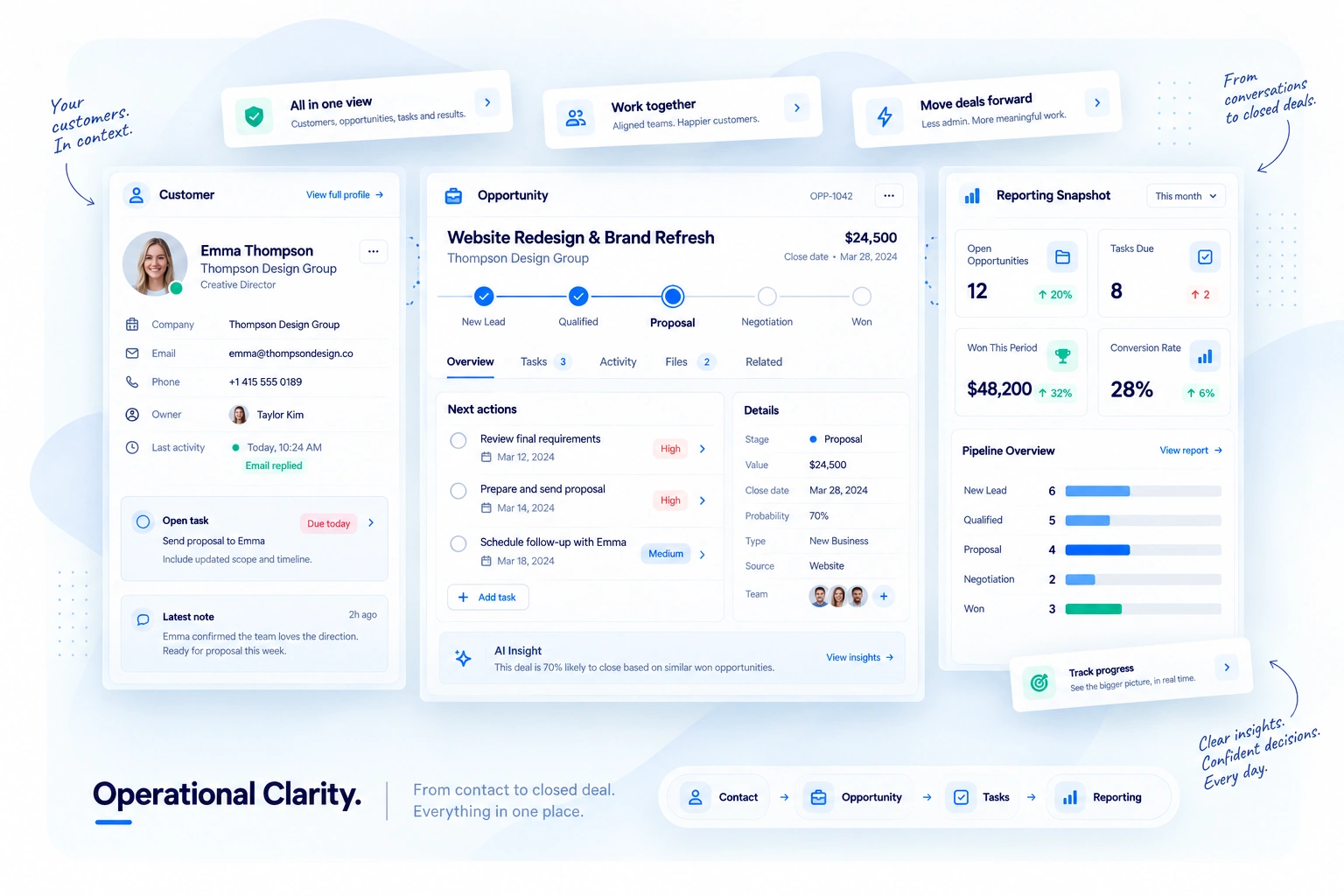
Custom CRM interface showing configurable workflow stages, custom sales pipelines, opportunity cards, workflow rules and business-specific CRM settings.

LICENSE INTEGRATION WORKFLOWS

Connect Every Stage Of The License Lifecycle.

Structure licensing around the commercial entitlement, product installation and runtime access decision instead of treating the license key as an isolated string.

Connect Access To The Right Product

Associate the license with the product and version it is intended to control.

Carry Commercial Access Into Licensing

Define the edition, entitlement and access state associated with the customer.

Turn Approved Access Into A License

Generate the license securely after the relevant product and customer rules are defined.

Register Approved Installations

Track installations and enforce the device or site limit associated with the license.

Check Access Before It Is Used

Validate the current license, entitlement, activation and expiration state.

Keep License Changes Visible

Record activation and deactivation events so developers can understand how access changed over time.

PRODUCTS & VERSIONS

Tie Every License To The Right Product.

Define which product and version the license applies to before access is issued, so validation remains connected to the software the customer actually owns.
PV Product Mapping
License Scope
Software Product

Website Assistant Plugin

Product ID AWA
Current release Production
License family Commercial
Version Scope
License Scope

Keep access attached to software

Product Mapped
Version rule Mapped
License type Commercial
Next stage Entitlement
Current release selected — validation applies to the active production version.
EN Customer Entitlement
Access Mapping
Customer

Northstar Digital

Account Business Customer
Product Website Assistant Plugin
License state Ready to issue
Entitlement Result

Commercial access becomes explicit

Edition Professional
Status Eligible
Activation rule Configured Limit
Expiration Configured Rule
Professional entitlement selected — access will follow the configured Professional rules.

CUSTOMER ENTITLEMENTS

Carry The Commercial Entitlement Into Access.

Connect the customer to the appropriate edition and entitlement so the licensing decision reflects what has actually been granted.

LICENSE ISSUING

Turn Approved Access Into A Secure License.

Generate the license after the customer, product and access rules are defined, keeping the resulting license tied to the intended entitlement.
LK License Issuing
Secure Generation
Approved Access Customer + product
Customer and entitlement rules are already defined.
Northstar Digital
Website Assistant Plugin
Professional
→
License Server Generate securely
Create the license under the configured activation and expiration rules.
→
Result License ready
The resulting license remains tied to its product and entitlement.
Issue workflow selected — generate a license for the approved customer entitlement.
AC Activation Control
Limit Enforcement
License

GOC-AWA-****-****-82H7

Status Active
Activation limit 5
Currently used 3 / 5
Installation Request
Activation Decision

Installation can be registered

License Valid
Remaining 2
Limit check Allowed
History Record Event
New installation selected — check the current activation count before registration.

ACTIVATION CONTROL

Know Where The License Is Being Used.

Register approved installations, keep activation usage visible and stop additional activations when the configured device or site limit has been reached.

API VALIDATION

Let The Software Confirm Access.

Send the current license and installation context into the validation workflow and return an authenticated access decision based on the active licensing rules.
VA License Validation
Authenticated Response
Validation Request

Check the current access state

License ••••-82H7
Product Website Assistant
Installation northstar.com
Validation Response

Current access decision

License Valid
Entitlement Professional
Activation Allowed
Expiration Valid
Full validation selected — check license, entitlement, activation and expiration state.
Validation responses are intended to be signed or authenticated. Exact implementation is configuration-dependent.
LH License Lifecycle
Activity History
Recent Events

Follow the license over time

Activated northstar.com
Validated northstar.com
Activated portal.northstar.com
Deactivated old.northstar.com
Current State

History stays tied to the license

License status Active
Activations used 3 / 5
Entitlement Professional
Last event Validation
Activation history selected — review where the license has been registered.

LIFECYCLE & HISTORY

Keep License Changes Easy To Trace.

Keep activation, deactivation and license-state changes attached to the same record so developers can review what happened across the license lifecycle.

CONTROLLED LICENSE FLOW

Keep Access Controlled From Issue To Validation.

Define the commercial access, issue the license, register an approved installation and validate the current state whenever the software needs to confirm access.
Define Connect the customer,
product and entitlement.
Issue Generate the license
under the defined rules.
Activate Register the approved
device or installation.
Validate Confirm the current
license and access state.

Insights

Ideas for clearer growth decisions.

Explore the SaaS platforms, developer infrastructure and delivery products created by Geeks of Cybernet.

Strategy

The five signals that tell you a growth system needs attention.

Purpose-built applications and workflows shaped around the business.

Search

Visibility is a business problem before it is a rankings problem.

Purpose-built applications and workflows shaped around the business.

Responsible AI

Where automation helps—and where a person should stay involved.

Purpose-built applications and workflows shaped around the business.

DEVELOPER LICENSE SERVER

Connect Commercial Access To Real Software Usage.

Define the product, entitlement, activation and validation workflow your software needs, then connect licensing around the way access should actually work.